OpenContracts v3.0.0.b3 Release Notes
Release Date: December 2025 Previous Version: v3.0.0.b2 Commits: 311 | Files Changed: 451 | Lines Added: ~220,000
Executive Summary
v3.0.0.b3 transforms OpenContracts from a document analysis platform into a collaborative document intelligence hub. This release introduces:
- Document Versioning - Track changes, restore deleted documents, and navigate version history
- Discussions & Threads - Forum-style conversations at corpus, document, and global levels
- AI Agents - Configurable bots that respond to @mentions in discussions
- Gamification - Badges, reputation, and leaderboards to encourage engagement
- Folder Organization - Hierarchical document organization within corpuses
- User Profiles - Public profiles with activity feeds and statistics
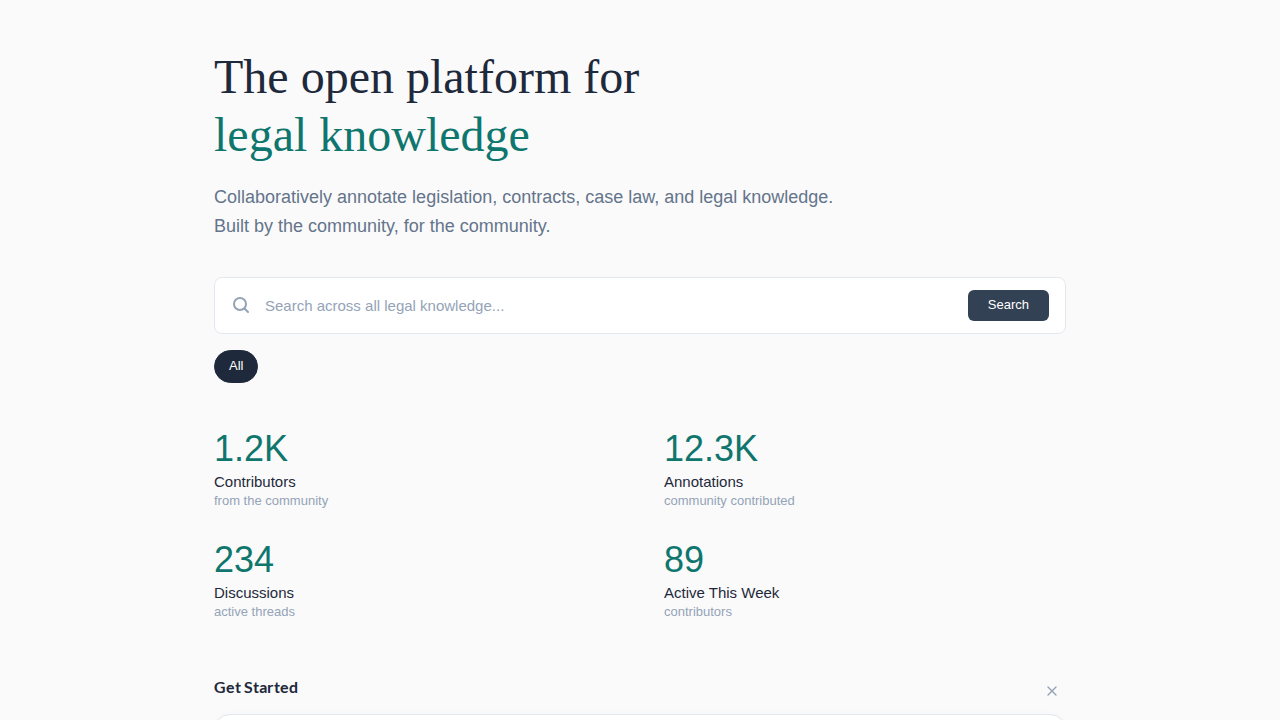
- Discovery Landing Page - New homepage showcasing community activity
Upgrade Time: Plan for 5-30 minutes downtime depending on database size. See Migration Guide below.
Table of Contents
- New Features
- Document Versioning
- Collaboration System
- AI Agent System
- Badges & Gamification
- Folder Organization
- User Profiles & Leaderboard
- Discovery Landing Page
- Analytics Dashboard
- Migration Guide
- Breaking Changes
- New Routes
- Known Issues
- Bug Fixes
New Features
1. Document Versioning
A complete version control system for documents, enabling history tracking and recovery.
What You Get
| Feature | Description |
|---|---|
| Version History | See all previous versions of a document with change metadata |
| Time Travel | Query the state of your corpus at any point in history |
| Soft Delete & Restore | Deleted documents go to trash and can be recovered |
| Corpus Isolation | Each corpus gets independent version trees (no cross-corpus conflicts) |
How It Works
When you add a document to a corpus, the system creates a corpus-isolated copy with its own version tree. This means:
- Editing a document in Corpus A doesn't affect the same document in Corpus B
- Each corpus tracks its own version history independently
- Original documents are preserved as the "source of truth"
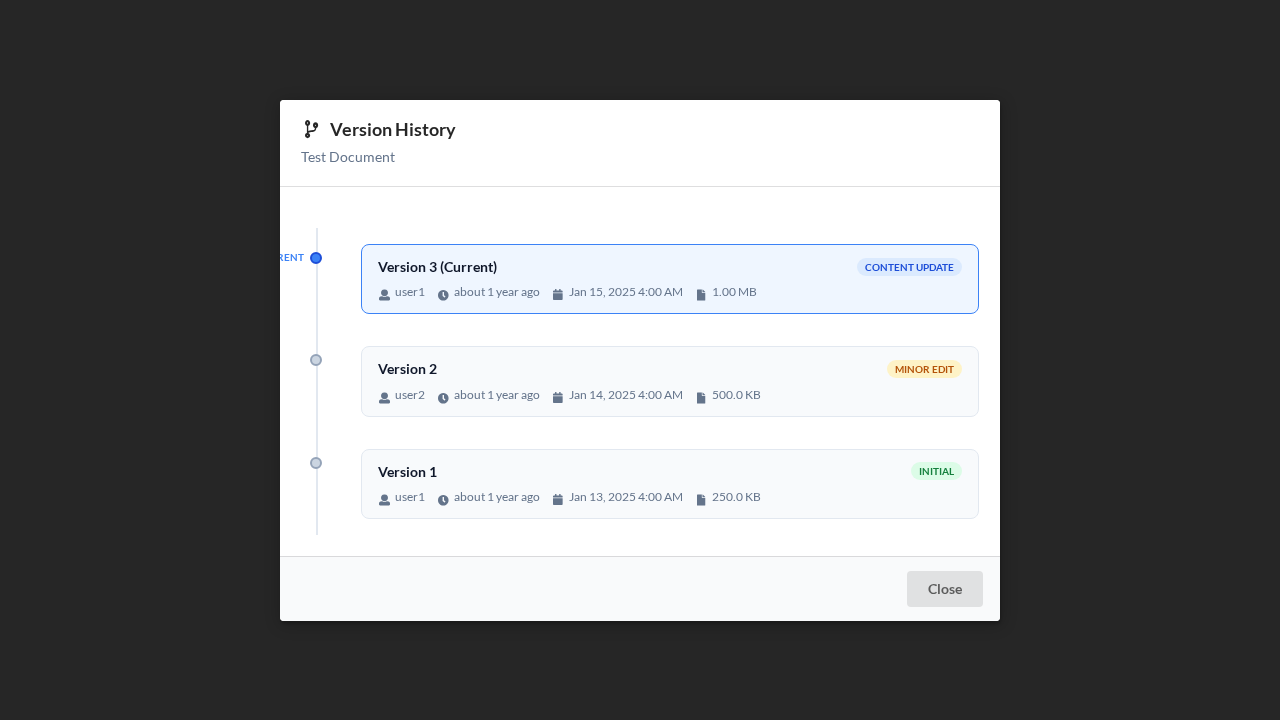
Using Version History
- Open any document in a corpus
- Click the version badge (shows current version number)
- Browse previous versions in the Version History Panel
- Restore any previous version with one click
Trash & Recovery
- Deleted documents appear in the Trash folder
- Open Trash from the folder sidebar
- Select documents to restore or permanently delete
- Restored documents return to their original location
2. Collaboration System
Forum-style discussions integrated throughout the platform.
Discussion Levels
| Level | Access | Use Case |
|---|---|---|
| Global | /discussions | Platform-wide announcements, general Q&A |
| Corpus | Corpus → Discussions tab | Project-specific conversations |
| Document | Document → Discussions tab | Annotations, questions about specific content |
Thread Features
- Voting - Upvote/downvote messages (Reddit-style)
- Pinning - Pin important threads to the top
- Locking - Prevent further replies on resolved threads
- Mentions - Tag documents, corpuses, and AI agents with
@ - Search - Full-text search across all discussions at
/threads
@ Mentions
Type @ in any message to mention:
| Mention Type | Example | Result |
|---|---|---|
| Document | @contract-2024.pdf | Links to document, shows preview |
| Corpus | @legal-documents | Links to corpus |
| AI Agent | @research-assistant | Triggers AI response in thread |
3. AI Agent System
Configurable AI bots that can participate in discussions.
Default Agents
Two agents are installed automatically:
| Agent | Purpose | Scope |
|---|---|---|
| Research Assistant | General document research and Q&A | Global |
| Document Analyst | Deep analysis of specific documents | Global |
Invoking Agents
- Start a new thread or reply to an existing one
- Type
@and select an agent from the dropdown - Write your question or request
- The agent processes your request and replies in the thread

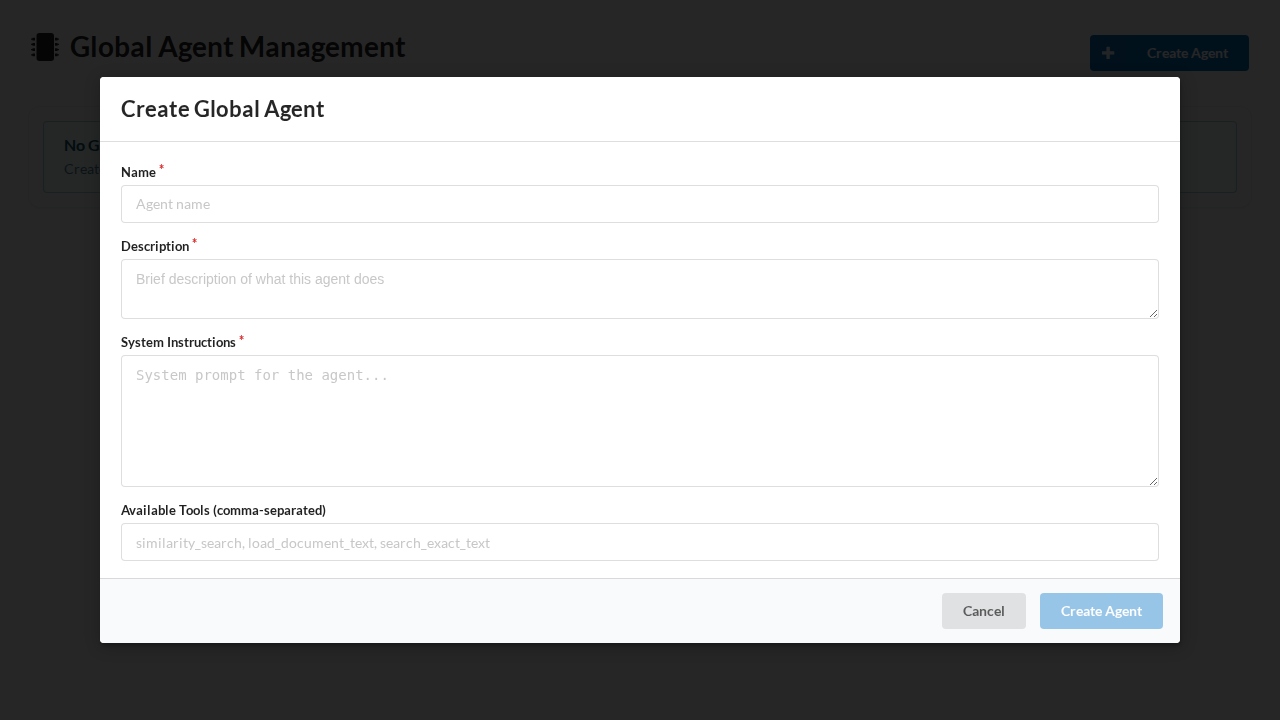
Creating Custom Agents (Admin)
- Go to Admin → Agent Management
- Click Create Agent
- Configure:
- Name - Display name (e.g., "Contract Reviewer")
- System Instructions - What the agent should do
- Available Tools - Which capabilities it can use:
similarity_search- Find related contentload_document_text- Read full documentssearch_annotations- Query annotations
- Scope - Global (all corpuses) or Corpus-specific
- Badge - Visual indicator (icon, color, label)
Corpus-Specific Agents
Corpus owners can create agents scoped to their corpus:
- Open corpus → Settings → Agents
- Create agents with corpus-specific instructions
- These agents only appear when mentioning within that corpus
4. Badges & Gamification
Achievement system to encourage community participation.
Default Badges
These badges are awarded automatically:
| Badge | Criteria |
|---|---|
| First Annotation | Create your first annotation |
| First Upload | Upload your first document |
| Conversation Starter | Start your first discussion thread |
| Prolific Annotator (Bronze) | Create 10 annotations |
| Prolific Annotator (Silver) | Create 50 annotations |
| Prolific Annotator (Gold) | Create 100 annotations |
| Active Contributor | Participate in 5 discussions |
| Helpful Member | Receive 10 upvotes on your messages |
Badge Display
Badges appear in: - User profiles - Message headers in discussions - Leaderboard rankings - User settings modal
Badge Celebrations
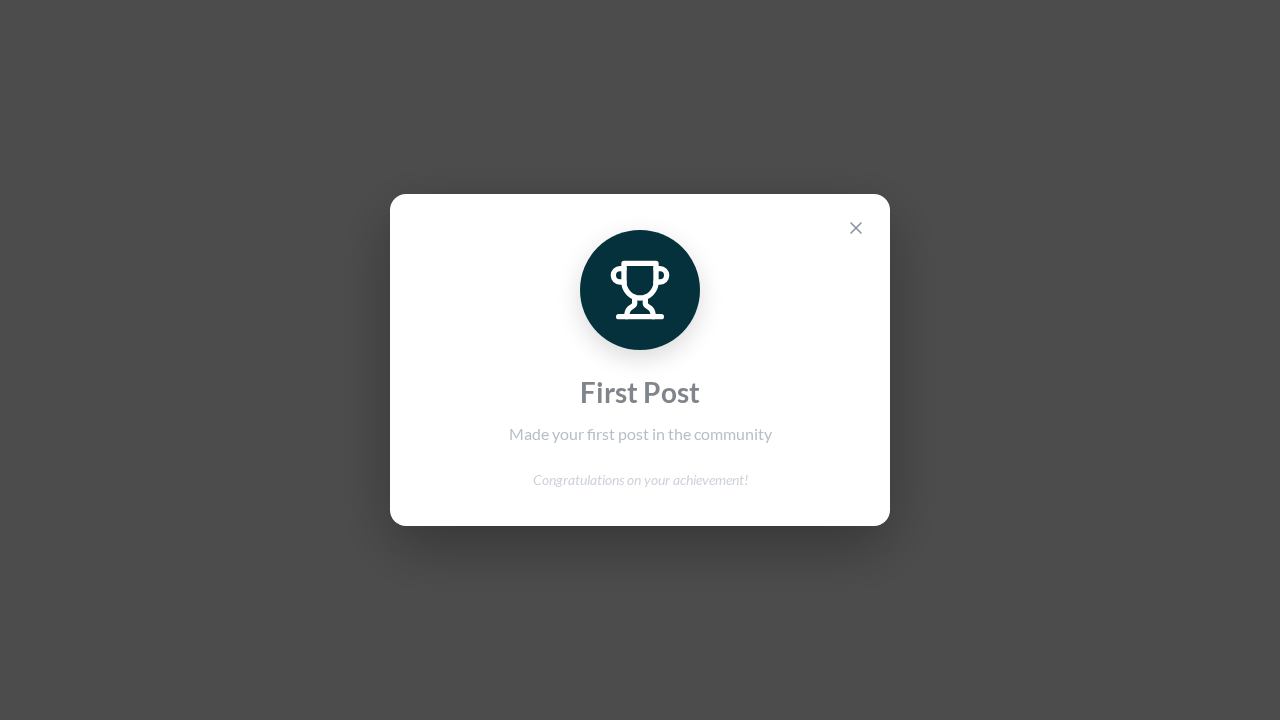
When you earn a badge: 1. A toast notification appears 2. A celebration modal shows the badge details 3. The badge is added to your profile
Custom Badges (Admin)
Admins can create custom badges:
- Go to Admin → Badge Management
- Create badges with custom:
- Name and description
- Icon and color
- Award criteria (automatic or manual)
- Corpus scope (global or corpus-specific)
5. Folder Organization
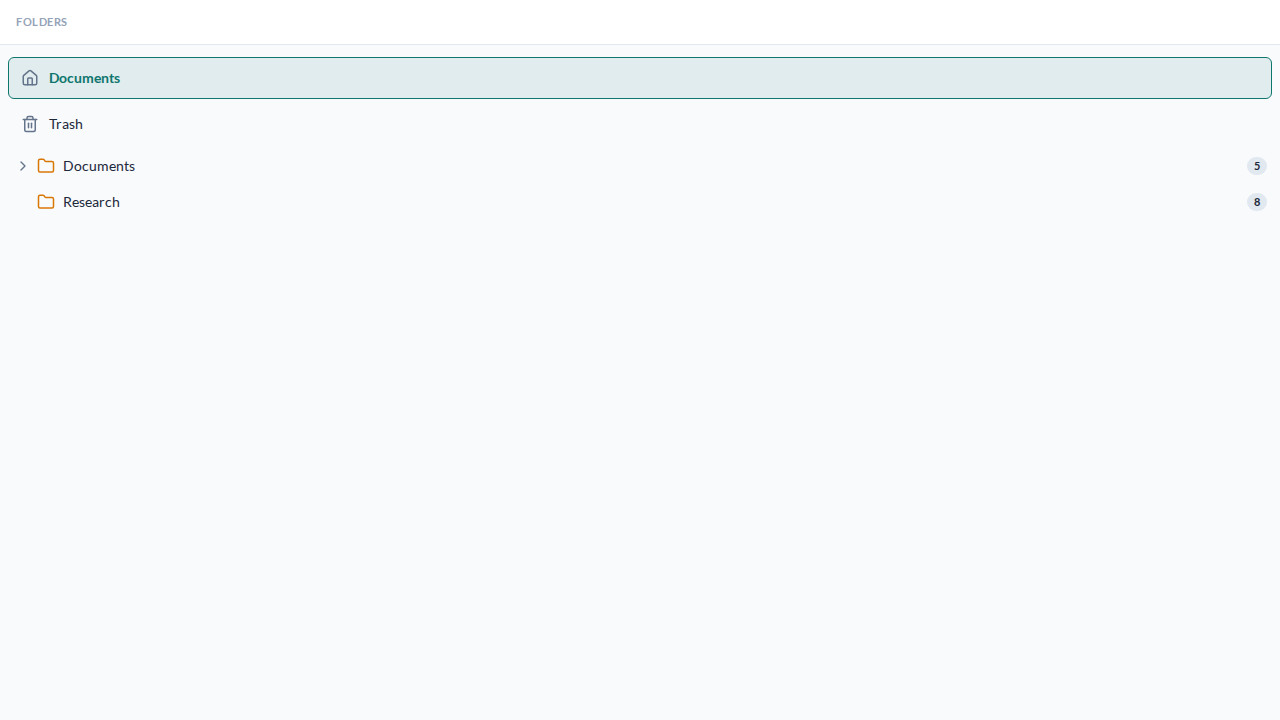
Hierarchical folder structure for organizing documents within corpuses.
Features
| Feature | Description |
|---|---|
| Nested Folders | Create unlimited folder depth |
| Drag & Drop | Move documents and folders by dragging |
| Folder Tree Sidebar | Collapsible navigation tree |
| Breadcrumb Navigation | See your current path, click to navigate |
| Bulk Operations | Move multiple items at once |
Creating Folders
- Open a corpus
- Click New Folder in the sidebar or document browser
- Enter folder name and optional description
- Choose parent folder (or root)
Moving Items
Drag & Drop: 1. Drag a document or folder 2. Drop onto target folder in the sidebar 3. Confirm the move
Via Modal: 1. Right-click item → Move 2. Select destination folder 3. Click Move
Folder Permissions
Folders inherit permissions from their parent corpus. Public folders can be created within public corpuses.
6. User Profiles & Leaderboard
Social features for community building.
User Profiles (/profile/:username)
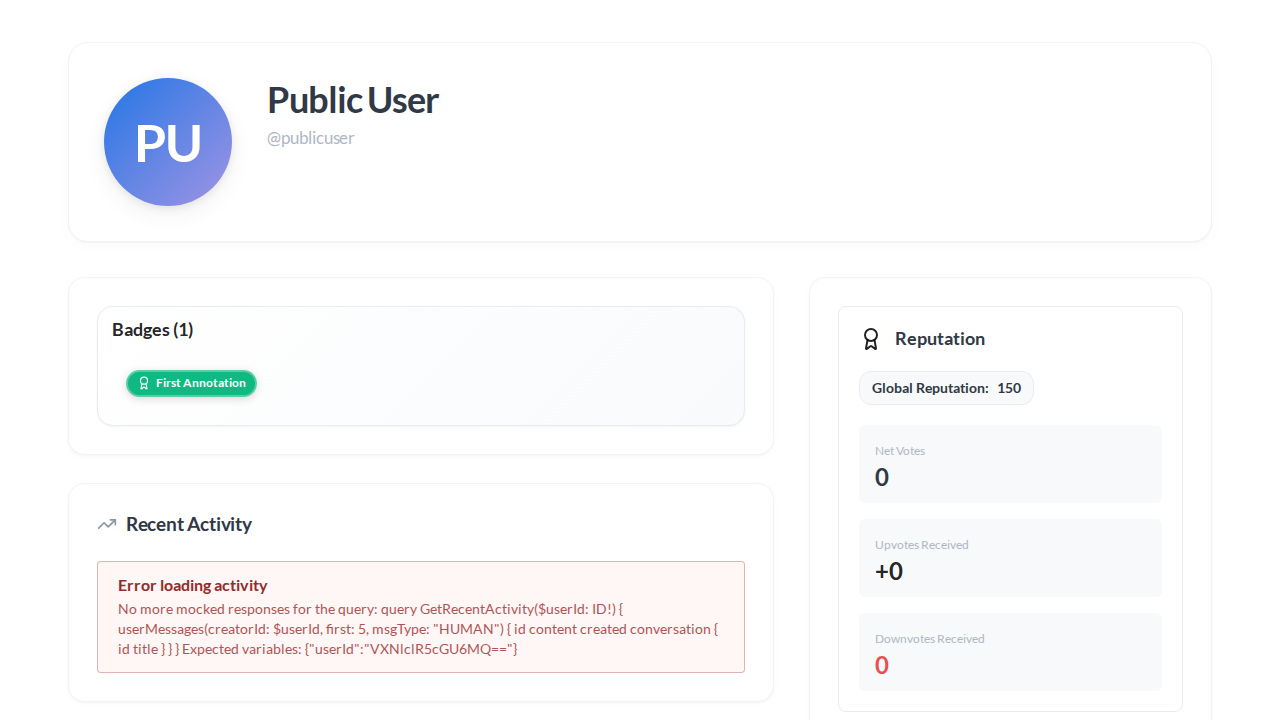
Each user has a public profile showing:
| Section | Content |
|---|---|
| Header | Avatar, name, join date, badges |
| Statistics | Documents uploaded, annotations created, threads started |
| Recent Activity | Latest actions (uploads, annotations, discussions) |
| Badges | All earned badges with award dates |
Privacy Settings
Users can control their profile visibility:
- Go to Settings → Privacy
- Toggle Public Profile on/off
- When private:
- Profile only visible to corpus collaborators
- Activity hidden from public feeds
- Still visible to admins
Leaderboard (/leaderboard)
Platform-wide rankings showing:
- Top Contributors - Ranked by reputation score
- This Week's Leaders - Recent activity rankings
- Badge Leaders - Users with most badges

Reputation is calculated from: - Annotations created - Documents uploaded - Discussion participation - Upvotes received
7. Discovery Landing Page
A new homepage replacing the direct redirect to /corpuses.
For Anonymous Users
The landing page shows: - Hero Section - Platform introduction with global search - Trending Corpuses - Popular public document collections - Recent Discussions - Active public threads - Community Stats - Total users, documents, annotations - Call to Action - Sign up / login prompts
For Authenticated Users
Additional features: - Your Recent Activity - Quick access to recent work - Recommended Corpuses - Based on your interests - Notifications Preview - Recent alerts
Customization
The landing page automatically adapts to your deployment: - Shows only public content to anonymous users - Highlights your community's specific metrics - Respects privacy settings for all displayed content
8. Analytics Dashboard
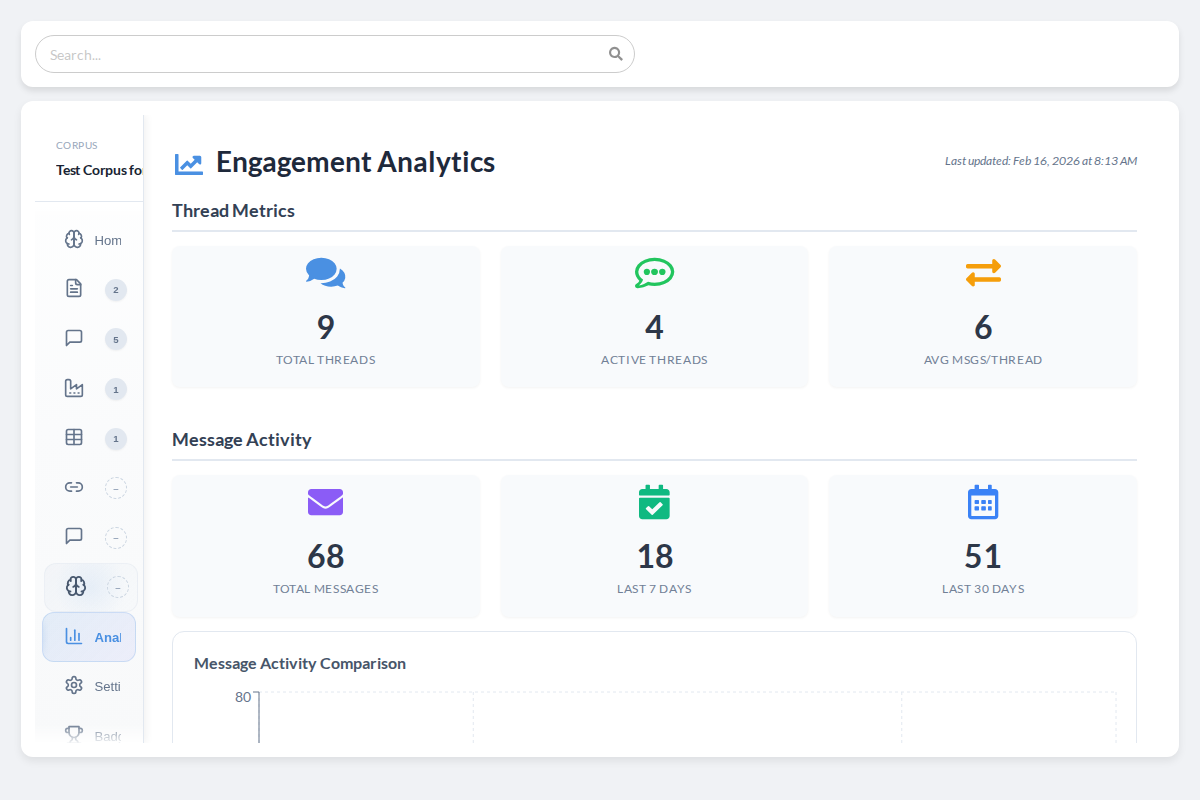
Engagement metrics for corpus owners.
Accessing Analytics
- Open any corpus you own or administer
- Click the Analytics tab
Available Metrics
| Metric | Description |
|---|---|
| Total Threads | All discussion threads in this corpus |
| Active Threads | Threads with recent activity |
| Avg Messages/Thread | Engagement depth indicator |
| Message Volume | 7-day and 30-day message counts |
| Unique Contributors | Users who've participated |
| Total Upvotes | Community approval metric |
Visualizations
- Bar Chart - Message activity over time
- Animated Counters - Real-time metric display
- Auto-Refresh - Updates every 5 minutes
Migration Guide
Pre-Upgrade Checklist
Before upgrading, complete these steps:
-
Create database backup
# PostgreSQL example pg_dump -h localhost -U opencontracts opencontracts > backup_$(date +%Y%m%d).sql -
Stop document processing
- Cancel any running parse/analysis jobs
-
Wait for queue to drain
-
Record baseline counts (for verification)
docker compose -f production.yml run django python manage.py shell -c " from opencontractserver.documents.models import Document from opencontractserver.annotations.models import Annotation from opencontractserver.corpuses.models import Corpus print(f'Documents: {Document.objects.count()}') print(f'Annotations: {Annotation.objects.count()}') print(f'Corpuses: {Corpus.objects.count()}') " -
Plan maintenance window (5-30 minutes)
Step 1: Pull New Images
# Pull the latest v3.0.0.b3 images
docker compose -f production.yml pull
Step 2: Run Migrations
This is critical - run migrations BEFORE starting services:
# Production
docker compose -f production.yml --profile migrate up migrate

# Development
docker compose -f local.yml run django python manage.py migrate
Migrations applied: | Migration | Purpose | |-----------|---------| | documents/0023-0026 | DocumentPath model, version trees, structural sets | | annotations/0048-0049 | StructuralAnnotationSet model | | agents/0001-0005 | Agent configuration system | | badges/0005 | Default badge installation | | corpuses/0024-0025 | Folder system | | conversations/0010-0011 | Agent mentions in messages | | users/0020 | Profile visibility settings |
Step 3: Verify Migration
docker compose -f production.yml run django python manage.py validate_v3_migration
Expected output:
======================================================================
OpenContracts v3.0.0.b3 Migration Validation
======================================================================

[1/7] Checking Document.version_tree_id...
  PASSED: All documents have version_tree_id

[2/7] Checking Document.is_current...
  PASSED: X current, 0 non-current (versioned)

[3/7] Checking DocumentPath records...
  PASSED: All M2M relationships have DocumentPath records

[4/7] Checking Annotation XOR constraint...
  PASSED: All X annotations satisfy XOR constraint

[5/7] Checking Relationship XOR constraint...
  PASSED: All X relationships satisfy XOR constraint

[6/7] Checking StructuralAnnotationSet uniqueness...
  PASSED: All 0 structural sets have unique content_hash

[7/7] Checking structural migration candidates...
  INFO: X documents eligible for structural migration

======================================================================
VALIDATION PASSED
======================================================================
Step 4: Start Services
docker compose -f production.yml up -d
Step 5: (Optional) Structural Annotation Migration
If you have documents appearing in multiple corpuses, you can save storage by migrating structural annotations to shared sets:
# Preview what will be migrated
docker compose -f production.yml run django \
    python manage.py migrate_structural_annotations --dry-run --verbose

# Execute migration
docker compose -f production.yml run django \
    python manage.py migrate_structural_annotations --verbose
When to use this: - Documents appear in multiple corpuses - Storage optimization is a priority - You want faster parsing (shared artifacts)
When to skip: - Single-corpus deployment - Storage is not a concern - Simpler is better for your use case
Breaking Changes
1. Corpus Document Relationship (API Change)
What changed: Documents are now linked to corpuses via DocumentPath, not a direct M2M relationship.
Impact: Custom integrations using the GraphQL API should continue to work - the corpus.documents field still returns documents. However, the underlying data model has changed.
If you have custom code:
# OLD (deprecated - still works but not recommended)
corpus.documents.add(document)
documents = corpus.documents.all()

# NEW (recommended)
corpus.add_document(document=document, user=user)
documents = corpus.get_documents()  # Returns active, non-deleted documents

# Or via DocumentFolderService for full permission checks:
from opencontractserver.corpuses.folder_service import DocumentFolderService
corpus_doc, status, error = DocumentFolderService.add_document_to_corpus(user, document, corpus)
2. Thread Search Pagination
What changed: The searchConversations GraphQL query now uses Relay-style pagination.
Before:
query {
  searchConversations(query: "contract") {
    id
    title
  }
}
After:
query {
  searchConversations(query: "contract", first: 10) {
    edges {
      node {
        id
        title
      }
    }
    pageInfo {
      hasNextPage
      endCursor
    }
    totalCount
  }
}
3. New Required Environment Variables
No new required environment variables. All new features use existing configuration.
4. Database Schema Changes
New tables created: - documents_documentpath - Document lifecycle tracking - annotations_structuralannotationset - Corpus-isolated structural annotations - agents_agentconfiguration - AI agent definitions - corpuses_corpusfolder - Folder hierarchy - users_* - Profile visibility fields
These are created automatically by migrations. No manual intervention required.
New Routes
| Route | Description | Access |
|---|---|---|
/ | Discovery landing page | Public |
/discussions | Global discussions | Public (read), Auth (write) |
/threads | Thread search | Public (read), Auth (write) |
/leaderboard | Community leaderboard | Public |
/profile/:slug | User profile page | Depends on privacy settings |
/admin/agents | Agent management | Admin only |
/admin/badges | Badge management | Admin only |
Known Issues
1. WebSocket Conversation Tests
Status: Test suite issue only - does not affect production
Description: Some WebSocket-based conversation tests fail with "no ASYNC_CONTENT messages" in CI environment.
Impact: None on production. The underlying vector search and agent functionality works correctly.
Workaround: Tests are marked appropriately and don't block releases.
2. Annotation Visibility Edge Case
Status: Pre-existing limitation, more visible with corpus isolation
Description: AnnotationQuerySet.visible_to_user() checks is_public or creator but not object-level guardian permissions.
Impact: In rare cases, annotations may be visible to users who shouldn't see them if the annotation is marked public but the document isn't.
Workaround: Ensure annotation is_public flags align with document permissions.
3. Large Export Timeouts
Status: Known limitation for very large corpuses
Description: Exporting corpuses with >10,000 documents may timeout.
Workaround: Use the --batch-size flag:
python manage.py export_corpus --corpus-id=123 --batch-size=1000
Bug Fixes
Security Fixes
| Issue | Description |
|---|---|
| User Profile Privacy | Profiles now respect is_profile_public setting |
| Badge Visibility | Badges follow recipient's privacy preferences |
| IDOR in Agent Creation | Fixed vulnerability allowing unauthorized agent creation |
| Mention Permission Checks | Server-side validation for all @mentions |
Data Integrity Fixes
| Issue | Description |
|---|---|
| Missing Parsing Artifacts | Corpus copies now include all parsing data (PAWLS, text, icons) |
| NULL Hash Deduplication | Documents without hashes no longer incorrectly deduplicated |
| Structural Annotation Portability | Annotations travel correctly with documents across corpuses |
Query Fixes
| Issue | Description |
|---|---|
| Structural Annotations Missing | Query optimizer now fetches from StructuralAnnotationSet |
| Vector Store Duplicates | Fixed deduplication for annotations with multiple embeddings |
| Anonymous User Search | Fixed null reference error in conversation search |
Frontend Fixes
| Issue | Description |
|---|---|
| TypeScript 5.9 Upgrade | All type errors resolved |
| tippy.js Deprecation | Replaced with floating-ui/dom |
| Component Test Stability | Fixed Playwright test flakiness |
Upgrade Support
If you encounter issues during upgrade:
- Check validation output - Run
validate_v3_migrationfor diagnostics - Review logs - Check Django and Celery logs for errors
- Restore backup - If critical issues, restore pre-upgrade backup
- Report issues - Open a GitHub issue with:
- Validation command output
- Relevant log excerpts
- Database size (approximate document/annotation counts)
What's Next
Planned for v3.0.0.b4: - Real-time collaborative annotation - Enhanced agent tool permissions - Bulk document operations - API rate limiting improvements
Appendix: Auto-Generated Screenshots
All screenshots in this document are generated from Playwright component tests via the docScreenshot() utility. The screenshots.yml workflow is manual / on-demand (workflow_dispatch only) — trigger it from the Actions tab or via gh workflow run "Update Documentation Screenshots" -f pr_number=<N> when you want to refresh the screenshots on a PR.
| Auto Screenshot | Source Test |
|---|---|
landing--discovery-page--anonymous.png | tests/landing-components.ct.tsx |
versioning--history-panel--with-versions.png | tests/VersionHistoryPanel.ct.tsx |
discussions--thread-list--with-threads.png | tests/DocumentDiscussionsContent.ct.tsx |
threads--agent-message--response.png | tests/threads/MessageItem.ct.tsx |
admin--agent-config--create-modal.png | tests/admin-components.ct.tsx |
badges--celebration-modal--auto-award.png | tests/badges.ct.tsx |
folders--tree-sidebar--nested.png | tests/folders/FolderTreeSidebar.ct.tsx |
users--profile--public.png | tests/user-profile.ct.tsx |
landing--leaderboard--with-data.png | tests/landing-components.ct.tsx |
corpus--analytics--dashboard.png | tests/CorpusTabs.ct.tsx |
Never manually edit files in docs/assets/images/screenshots/auto/ — they are overwritten by CI.
Last updated: December 2025 Questions? Open an issue at https://github.com/Open-Source-Legal/OpenContracts/issues