Querying a Corpus
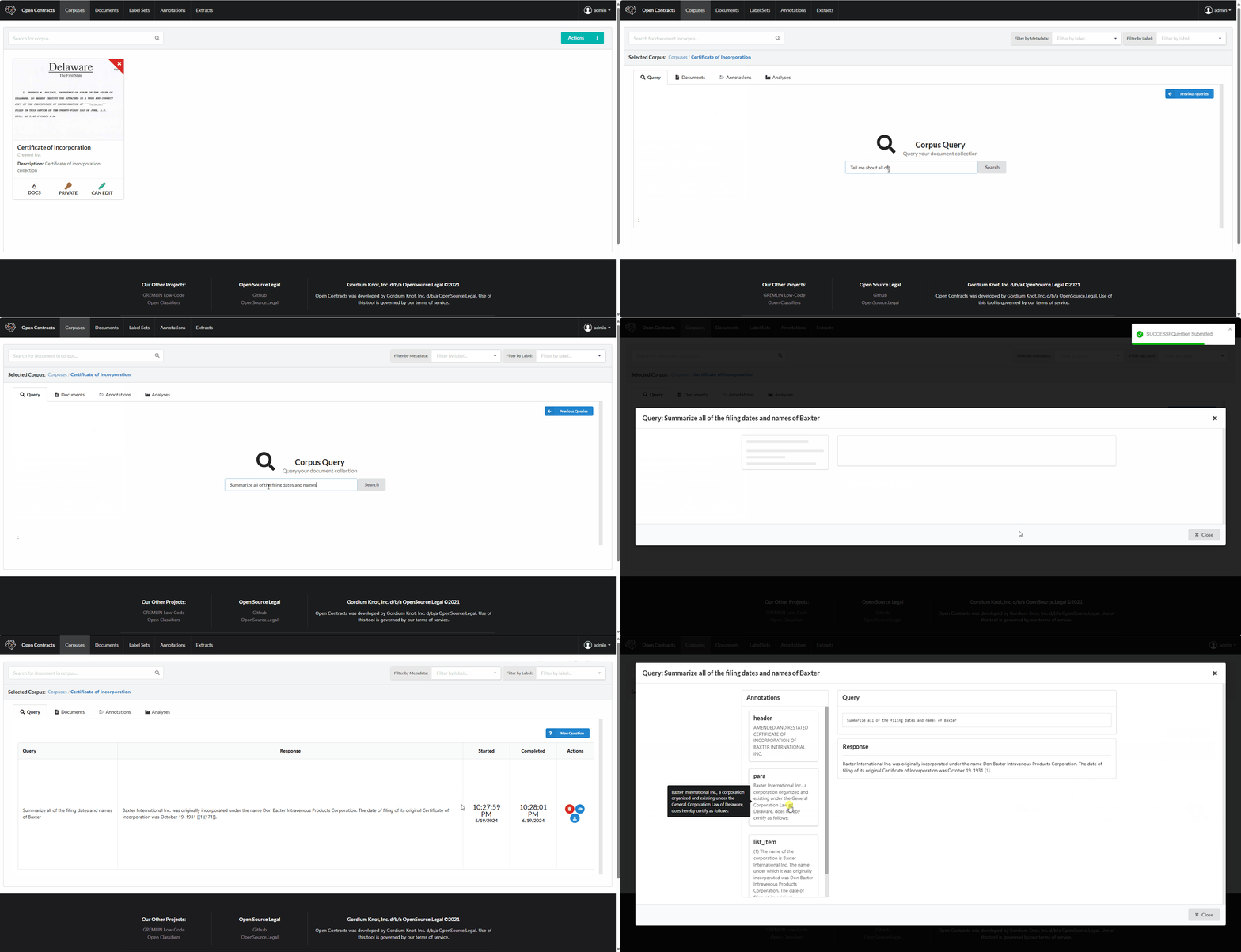
Once you've created a corpus of documents, you can use the Corpus Chat feature to ask natural language questions and get AI-powered answers, complete with citations and links back to the relevant text in the document(s).
The chat interface maintains conversation history, allowing you to ask follow-up questions and explore your documents interactively.
Understanding Tool Usage
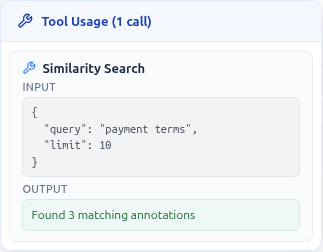
When the AI agent answers your questions, it uses various tools behind the scenes — searching for similar text, performing exact text lookups, or querying specific documents. You can see exactly what the agent did by looking at the tool usage badge that appears next to the assistant's name.

Hover over (or click) the badge to open a popover showing each tool call with its input arguments and output:
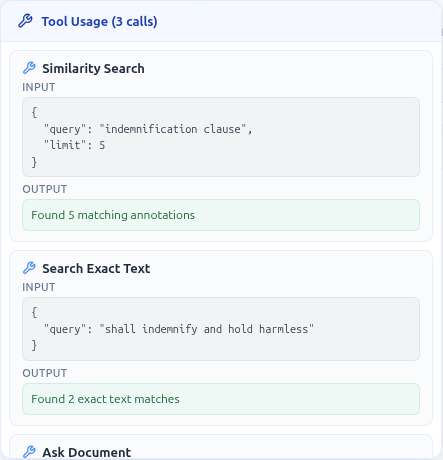
For complex queries, the agent may chain multiple tools together. The popover lists all calls in execution order:
The full set of tools available to agents is defined in opencontractserver/llms/tools/core_tools/.